


Settings Page | Inflation Data Section
To enable the import of inflation data from Office of National Statistics (ONS), simply enable the toggle next to ‘Schedule Import’.
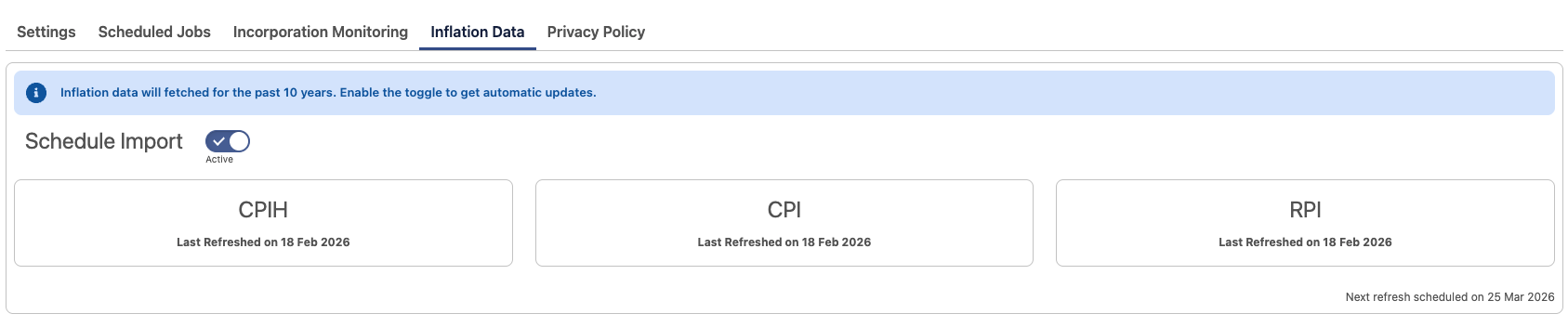
- Activation
Within a few minutes of enabling, CPIH, CPI and RPI data will be imported from ONS and transformed into Salesforce ‘Index’ records. - Locating Inflation Data
You can find Index records in the ‘Indices’ object. - Regular Updates
By default, Reg.Direct imports inflation data from the past 10 years and then monitors for updates according to ONS’s next publishing date for each index. - Data Management
The initial import operation creates approximately 120 Index records.
Index Records
One Index record is created for each month of inflation data.
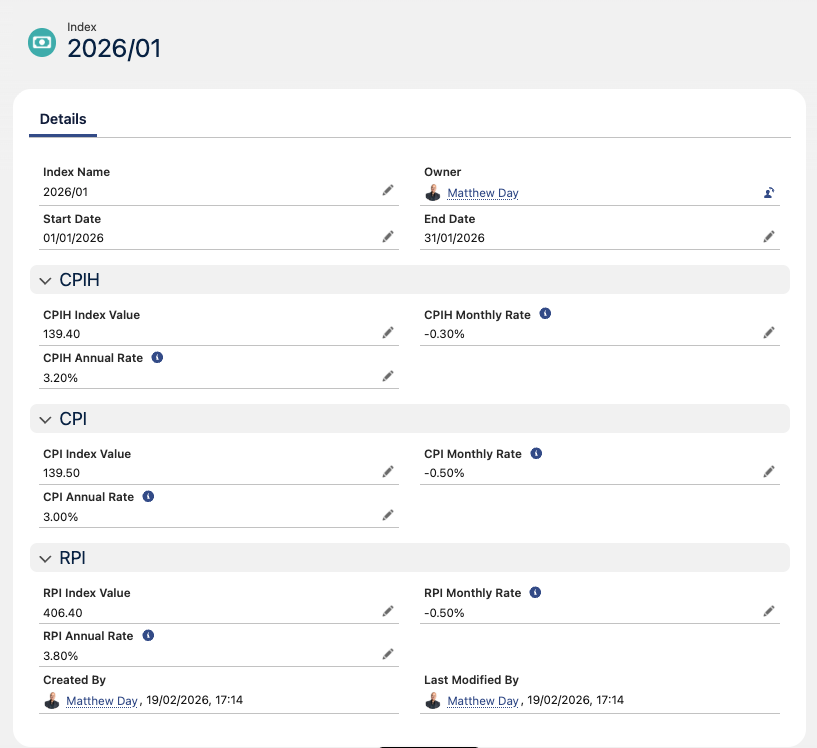
Index Name is the name of the record, in the format YYYY/MM.
- Start Date represents the date on and from which index data started being collected.
- End Date represents the date on or before which index data was collected.
As inflation data is not collected on an individual day of the month, you can choose whether to use the start or end dates in your reports and automations. - CPIH Index Value is the CPIH value for the period.
- CPI Index Value is the CPI value for the period.
- RPI Index Value is the RPI value for the period.
- CPIH/CPI/RPI Monthly Rate is the headline reported percentage change of the value of the relevant index when compared to the same index’s previous month’s value.
- CPIH/CPI/RPI Annual Rate is the headline reported percentage change of the value of the relevant index when compared to the same index’s previous year’s value.
Use Cases for Inflation Data in Salesforce
- Reg.Direct Index records are designed to be easy to search for and report on using standard Salesforce tools, such as Flows.
- Companies may simply use this data as a repository to report and dashboard the information rather than visit ONS to analyse the data.
- Other uses cases may include…
- Calculating inflation-based contract price changes, updating records in Salesforce with inflation-adjusted values.
- Planning, scheduling and executing in-house product price increases / changes on existing products.
- Reviewing the losses or gains on sales over a period when adjusted for inflation.